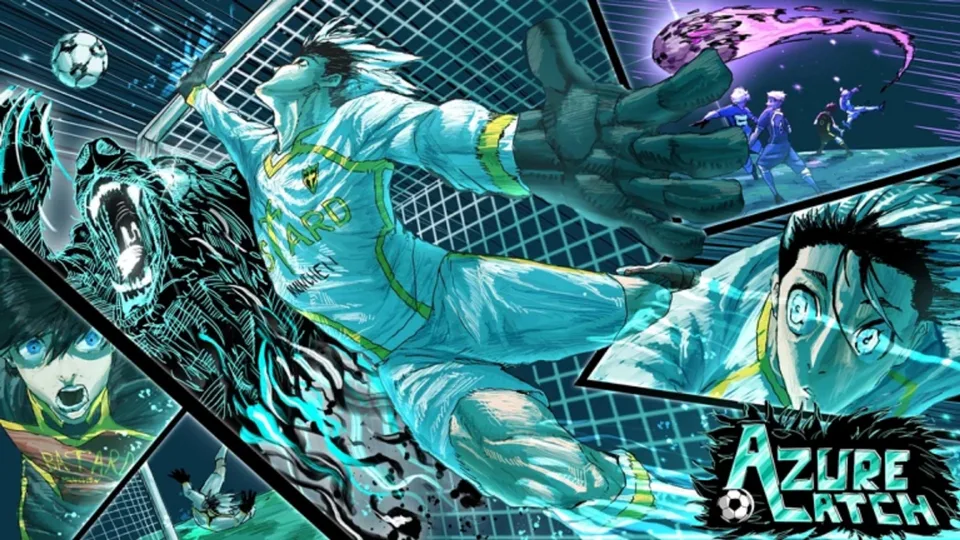
Azure Latch MVPs Guide: How to Unlock and Equip Animations
Discover how to obtain and use Azure Latch MVPs to customize your character's victory animations. Follow our guide for unlocking free rewards in-game.
Published: Azure Latch Wiki Editorial Team
Table of Contents
Understanding MVP Animations in Azure Latch
In the competitive world of Azure Latch on Roblox, standing out from the crowd is about more than just your skill—it is about your flair. MVP (Most Valuable Player) animations are specialized cosmetic effects that trigger when a player secures a top-tier result at the end of a match. Unlike standard gameplay mechanics, these animations are purely visual, serving as a badge of honor that signals your success to other players in the lobby.
Whether you are a new player or a seasoned veteran, understanding how to acquire these animations is key to personalizing your experience. While some players might be looking for rare or exclusive variants, the game offers several ways for dedicated users to expand their collection without needing to spend extra resources.
How to Obtain Free Azure Latch MVPs
The primary way to build your collection of victory animations is through consistent gameplay. Based on community insights, Azure Latch rewards active participation and high-performance metrics with cosmetic unlocks.
Maintain Consistent Performance: Focus on hitting your goals during matches. High scores often correlate with the unlocking of new cosmetic tiers.
Participate in Events: Keep an eye on game updates from the [B:S] Azure Latch Team. Seasonal events are the most common source for "free" limited-time MVPs.
Complete In-Game Milestones: Some animations are tied to hidden achievement trackers. Check your profile regularly to see if you have met the requirements for a new unlock.
Equip via Menu: Once you receive a notification that a new MVP animation is unlocked, navigate to your cosmetic inventory to equip it.
Many players wonder if there are "guaranteed" free MVPs. While specific unlock conditions are often subject to game updates, the community reports that simply playing through the game naturally and focusing on "King of the Hill" style objectives tends to trigger reward milestones more frequently than casual play.
Optimizing Your MVP Selection
Once you have unlocked multiple animations, you may find yourself wanting to swap them based on your current aesthetic or mood. Customization is handled directly through the character interface.
Tip
Always check the "Animations" tab in your inventory after a major game update. Developers often add new, accessible content that players might miss if they rely solely on old habits.
If you have a favorite animation, make sure it is set as your "Active" MVP. If you have multiple equipped, the game may cycle through them or default to the one you have designated as your primary choice. If your animation isn't playing as expected, ensure that your game settings allow for high-quality visual effects, as some complex animations may be suppressed if your graphics quality is set to a very low level.
Troubleshooting and Community Tips
Players occasionally report issues where an MVP animation fails to trigger. This is rarely a bug and usually relates to one of two factors: the specific game mode or your current network stability.
Check Game Mode Rules: Some custom modes or private servers may have MVP animations disabled by default.
Verify Internet Connection: High latency can sometimes cause the server to skip the animation sequence to keep the game flow smooth.
Update Requirements: Ensure you have fully claimed the animation from any reward pop-ups; sometimes a reward is earned, but requires a final "claim" click in the menu.
According to community reports, the most "grandiose" animations—those that involve complex movement or special effects—are often the ones players strive for the most. While talent and luck play a part in your overall game performance, your choice of MVP is entirely within your control.
Frequently Asked Questions
Can I trade my MVP animations with other players?
Currently, the core mechanics of Azure Latch focus on earning cosmetic items through gameplay. There is no official peer-to-peer trading system for MVP animations.
Do MVP animations provide a competitive advantage?
No. All MVP animations are strictly cosmetic. They are designed for visual flair and do not alter your character's hitboxes, speed, or abilities.
Where can I find the latest news on new MVP releases?
The best place to stay updated is the official Azure Latch Roblox page. The developer team frequently posts patch notes and event announcements in the game description or the associated group page.