Azure Latch Emotes Guide: How to Get and Use Cosmetic Animations
Master the art of expression in Azure Latch with our guide on unlocking, purchasing, and using emotes to taunt opponents or celebrate your goals.
Published: Azure Latch Wiki Editorial Team
Table of Contents
Understanding Emotes in Azure Latch
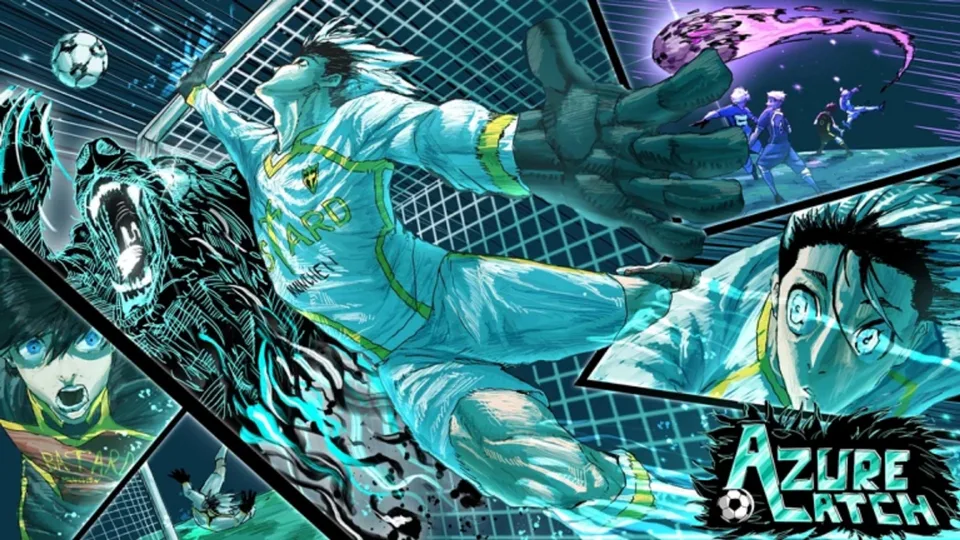
In the fast-paced, Blue Lock-inspired world of Azure Latch, cosmetics play a vital role in showcasing your style and personality on the field. Emotes are specifically designed as interactive animations that you can trigger at any moment during gameplay. Whether you want to celebrate a hard-fought goal or add a layer of flair to your victory, emotes are the primary tool for non-verbal communication in the game.
Unlike other cosmetic upgrades such as Styles—which directly impact your ability sets and playstyle—emotes are purely aesthetic. They serve no mechanical advantage, meaning your performance will remain consistent regardless of which animation you equip. However, for many players, they are essential for creating a unique persona or simply "disrespecting" the opposing team after a successful play.
How to Obtain Emotes
The primary hub for all your customization needs is the Shop, which is located in the game’s main menu. Accessing this area is straightforward, as it is the first tab you will encounter upon opening the menu. Within the Shop section, you will find a dedicated category for emotes alongside other items like MVP animations, goal effects, and titles.
Purchasing Emotes with In-Game Currency
For the average player, standard emotes are quite affordable. Each basic emote can be purchased for 250 cash. Because this cost is relatively low compared to other items—such as Commentators (20,000 cash) or Titles (10,000 cash)—you can easily build a diverse collection of animations as you grind through matches.
Securing Limited-Time Emotes
Occasionally, the game developers introduce limited-time emotes. These rare or seasonal items typically cannot be purchased with standard in-game cash and instead require Robux. If you see an emote in the shop that catches your eye, it is worth checking the bottom right corner of the Shop interface, where these premium options are displayed.
Tip
Always check the Rotation Shop if you have trouble finding specific items in the standard menu. It refreshes every 3 hours and offers a rotating selection of emotes and other cosmetics.
Using the Rotation Shop
For players located in regions where the main shop interface might be restricted, the Rotation Shop serves as the primary alternative. This feature is designed to ensure everyone has equal access to the game's cosmetic library.
Refresh Rate: The shop cycles through its inventory every 3 hours.
Variety: It offers a selection of 1 to 5 options per category, including styles, MVP animations, and of course, emotes.
Accessibility: Since it pulls from the same pool of content, you can find both standard and occasionally rarer items here.
If you are hunting for a specific emote that isn't showing up in the primary shop, setting a reminder to check the Rotation Shop every few hours is a pro strategy. This ensures you won't miss out on limited-time items that might disappear once the next rotation occurs.
Why Emotes Matter for Your Gameplay Experience
While it might seem like a minor detail, using emotes effectively can influence the psychological aspect of a match. Many veteran players utilize them to keep the energy high or to engage in friendly banter.
Expressing Your Style
In Azure Latch, you are constantly rotating between various Styles (such as Isagi, Gagamaru, or the Mythic-tier Barou and Sae). Integrating your emotes to match your chosen character's vibe can make your gameplay feel more immersive. For instance, players who focus on collecting specific masteries often pair them with emotes that fit the "pro" aesthetic of those higher-tier characters.
Common Mistakes to Avoid
Overspending Early: Don't burn all your cash on early-game cosmetics if you haven't yet secured the Styles you need for your competitive build. Prioritize your character’s mechanical kit first, then spend your excess cash on emotes.
Ignoring Rotation: Don't assume an emote is gone forever just because it isn't in the standard store. Always verify the status of the current Rotation Shop offerings.
Lack of Inventory Management: Remember that you can manage your items in the Storage Tab. If your menu feels cluttered, use the storage features to keep your favorite emotes easily accessible.
[ ] Save 250 cash per desired emote.
[ ] Visit the "Shop" tab in the game menu.
[ ] Select the "Emotes" sub-category.
[ ] Purchase your desired animation.
[ ] Equip your new emote via the inventory or storage menu.
FAQ
Can I get emotes for free?
While all emotes require either in-game cash or Robux, you earn cash simply by playing matches. By participating in games, you can accumulate the necessary funds to purchase any emote without spending real-world money.
Do emotes give me an advantage in matches?
No. Emotes are purely cosmetic and do not provide any stat boosts or mechanical advantages. They are intended for entertainment and expression only.
Will my emotes disappear after an update?
Generally, no. Once you purchase an emote, it is added to your account inventory. However, always check the official Azure Latch Discord or game updates for any specific warnings regarding cosmetic rotations or database resets.